Managed Services
Run your IT operations with one team, one process and one screen
We monitor your system, cloud, network and security infrastructure 24/7 — managing incidents, making risks visible and keeping your operations running.
24/7
Monitoring and response
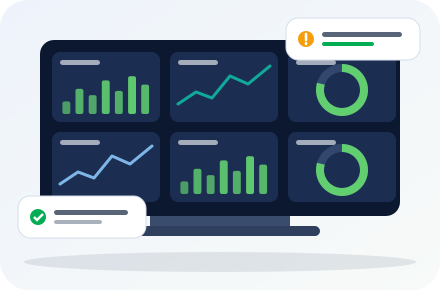
One screen
D724 Managed Services Platform
Monthly
Operations report
Incident and problem management
Risk and capacity analysis
Regain Control of Your IT Operations
As systems multiply, monitoring, incident response, change and reporting become separate burdens; control fragments and teams fall behind.
Fragmented operations
Every task in a separate tool and team
Monitoring
Alerts scattered across different tools
Incident response
Unclear ownership, delayed response
Change
Unplanned, unrecorded changes
Reporting
Manually compiled, irregular reports
D724
A single operations discipline
One team, one process, one screen
Monitoring
24/7 monitoring, alerts on one screen
Incident response
Logging, prioritisation and L1–L2–L3 escalation
Change
Controlled change with customer approval
Reporting
Monthly operations report and a technical account manager
D724 takes over the operation of your enterprise system, cloud, network and security components with a single operating discipline: 24/7 monitoring, incident and problem management, controlled change and regular reporting in one process.
What Does D724 Manage for You?
Seven service categories come together under one operational discipline on the D724 Managed Services Platform. Monitoring can be purchased on its own; other areas are added to the scope as you need them.
D724
Managed Services Platform
Monitoring
Data centre
Cloud
Network
Security
Business continuity
Professional
7
service categories
L1–L3
single escalation line
01
Managed Monitoring Services
24/7 monitoring and reporting; available independently of operations services.
- Systems and platforms
- Cloud
- Network
- Cybersecurity
- Reporting
→
02
Managed Data Centre Services
Operation of servers, identity, email, databases, virtualisation, storage and backup.
- Operating systems
- Identity and directory
- Email servers
- File and sharing
→
03
Managed Cloud Services
Cloud operations, SaaS, Microsoft 365, Azure, containers, automation and DevOps.
- SaaS tenant and identity
- Cloud email
- Communication and collaboration
- Cloud file sharing
→
04
Managed Network Services
Network operations, firewalls, switching, wireless and network access control.
- Firewall
- Switching
- Wireless
- Network access control
→
05
Managed Security Services
Identity, application, log, DLP, email, endpoint, SIEM/SOC/XDR and cloud security.
- Authentication
- Web applications
- Logs and analytics
- Data loss prevention
- Mail security
→
06
Business Continuity and Disaster Recovery
Operation of backup and disaster recovery environments; failover and failback support.
- Replication
- Backup and restore
→
07
Professional Services
Projects, migration, transformation and consultancy across every catalogue area.
- Consulting
- Installation and migration
→
What do managed services give you?
Emergency response
Gain a competitive advantage by utilizing your limited IT resources in areas of strategic importance to your company.
Competitive advantage
Gain efficiency by minimizing operational workloads.
Sustainability
With complementary services, manage your risks, optimize your resources and be ready for your future needs today.
Emergency Response
Whether you have 5×8 or 24×7 support as part of the service, you can request intervention around the clock for urgent issues.
How We Work
D724 delivers operations, monitoring, incident management, change management and reporting for enterprise systems, cloud, network and security components under a single operational discipline.
The journey of an incident
Illustrative example
01 · Monitor
srv-db-02 · /data disk 89% full
Alert · 02:47
02 · Detect
AI-assisted triage
2 similar tickets found, priority suggested
03 · Create ticket
D724-24817 · Priority: High
Ticket opened automatically
04 · Respond
On-call specialist took the ticket and extended the disk space
The specialist decides · approved change
05 · Report
Ticket closed and added to the monthly report
Root cause note added
06 · Improve
Storage growth added to the capacity plan
Preventive action
Escalation line
L1
Intake and classification
Logging, initial analysis and incident/problem/change/request classification
L2
Specialist response
Systems, cloud, network and security specialists
L3
Advanced level and vendor
Senior specialists, vendor and third-party cases when needed
Incidents, problems, changes and service requests are classified and prioritised within a single operating framework and managed through an L1–L2–L3 escalation line.
Operational scope
- Handling customer requests and classifying them as incident, problem, change or service request.
- Escalation at L1, L2 and, where required, L3 level.
- Monitoring, analysis, optimisation, improvement and capacity management activities.
- Health checks and vendor-validated design checks.
- Applying service pack and minor version updates with customer approval.
- Preparing monthly operations reports and tracking the service with a technical account manager.
Operational Capabilities
Monitoring runs on a 24×7 basis. Support is offered as 5×8 or 24×7; the service hours of a package are set in the service agreement.
- Automatic Request Creation
- Risk and Performance Analysis
- Manufacturer and Third-Party Case Management
- Preventive and Remedial Activities
- Growth and Capacity Planning
D724 Managed Services Platform
Single-Screen Visibility with D724 Platform
Your open requests, alarms, response times and monthly operational performance share one screen on D724 Platform. What you see is the same data our team works from.
Open requests
12
Active alerts
3
Critical first response
≤ 30 min
SLA compliance
98.6%
Illustrative screen — prepared with sample data.
Secure, Uninterrupted Operations Infrastructure
How we connect to your systems, who accesses them with which rights, and who receives an alert at midnight — all defined, recorded and auditable.
Your network
On-site collector
443 · outbound only
D724
Operations centre
186 devices discovered · 24 monitoring templates
An on-site collector in your network
- Connects only outbound over port 443; you don’t need to open any inbound ports
- Customer networks never see each other
- Collected data is kept on site even if the connection drops
- Devices are discovered and monitoring templates are created automatically
Target
srv-db-02
Ticket
D724-24817
Reason
Disk space extension
Duration
2 hours
Access granted · session being recorded
Time-limited, recorded privileged access
- Access is granted with a target, ticket number, reason and duration
- Access closes automatically when the time is up
- Every command in the session is stored in an immutable, searchable archive
Critical alert
srv-db-02 unreachable
Take it
24/7 on-call
- A critical alert opens full-screen on the on-call specialist’s phone and sounds even if the phone is on silent
- Take, resolve, close: every step is logged
- First response target for critical incidents: 30 minutes
- 24/7 critical incident line: +90850 399 3 724
A Service Model That Fits Your Needs
Managed services are offered in three packages, which differ in the capability areas they cover and their request model. Start from your need to choose the one that fits you best.
Most comprehensive
CareOn
If you want your entire inventory managed end to end
Coverage
Inventory-based · fully managed
Request
Unlimited
Approach
Proactive
Access to every capability area in the catalogue
UnifyPack DC
If you want specialist support for your data centre whenever you need it
Coverage
Packaged · data centre focused
Request
Limited or unlimited
Approach
Reactive
All systems, cloud, network and cybersecurity areas
UnifyPack MS
If you rely mainly on Microsoft 365, Entra ID and Azure
Coverage
Inventory-based · Microsoft focused
Request
Unlimited
Approach
Proactive or reactive
Identity, email, collaboration, endpoint, Azure and the Microsoft security stack
Service Levels and Reporting
Every ticket has a first response target based on its priority. Priority is set by four factors:
Scope of impact
Severity
Service criticality
Business impact
Priority
Critical
30 min
First response target
Incidents with broad impact that directly affect business continuity
Critical system outage, widespread loss of access, high-impact security incident
High
1 h
First response target
Incidents affecting multiple users or a significant service
Service performance degradation, significant security alert, capacity risk
Normal
4 h
First response target
Incidents with limited user or service impact
Standard fault, permission problem, single service issue
Low
8 h
First response target
Information, standard changes or low-impact requests
Report request, minor configuration change
The same targets apply to security incidents; the analyst sets the severity:
S1
Critical · active attack, data leak, privilege escalation
S2
High · high-confidence malware finding
S3
Normal · low-confidence findings
S4
Low · informational
First response time starts when the ticket is opened and ends when the team actually begins the technical investigation; it is not a resolution-time commitment. Results are shared monthly in a per-ticket SLA report; the applicable targets are defined in your service contract.
Change and Problem Management
Standard
Pre-approved, low-risk, recurring tasks
Normal
Changes planned after impact assessment and your approval
Emergency
Changes made with expedited approval to protect the service
Recurring incident
Problem record
Root cause analysis
Permanent fix
Operational Resilience
Our service management model is built on monitoring IT risks, logging and responding to incidents, regularly testing business continuity and disaster recovery scenarios, and reporting on the entire process.
With this structure we support the internal control and audit processes of customers in sectors with high operational resilience expectations, including financial services.
- Financial services
- Internal control and audit
- Recorded, traceable process
Audit-ready operations
Monitor
IT risks are monitored continuously
Respond
Incidents are logged and managed
Test
Business continuity scenarios are tested regularly
Report
The entire process is reported
Technical Scope
Out of Scope Situations
- Missing access, permissions, approvals or information that the customer is to provide.
- Outages and delays originating from vendors, cloud service providers or third-party services.
- End-of-life / end-of-support products or versions.
- Systems, services, users, devices, resources or workloads not listed in the service inventory.
- Work falling under projects, architectural design, migration, advanced optimisation or consultancy.
- Hardware failures, licence gaps, subscription interruptions or delays caused by the customer’s internal processes.
Common Technical Characteristics
- Service and support processes are run through D724 Platform.
- Monitoring is delivered with the tooling designated by D724.
- Access is made through authorised accounts and secure access methods provided by the customer.
- Service scope is limited to the quantities stated in the customer proposal and service inventory.
General Customer Responsibilities
- Sharing the managed-service inventory with D724 and keeping it current.
- Providing the permissions, accounts and connection details needed to reach the systems in scope.
- Procuring hardware, software, licences, subscriptions, vendor support entitlements and cloud consumption costs.
- Nominating the people who decide and approve on changes, service requests and security incidents.
- Raising requests through D724 communication channels and supplying the information they need.
- Carrying out user acceptance testing after work performed by D724.
- Coordinating with vendors or providers of third-party applications and services.
- Owning business continuity, data ownership, compliance, legal assessment and internal user communication.
- Compliance obligations under KVKK, GDPR and sector-specific regulations (including financial-sector operational resilience rules), and any notification to regulators, rest with the customer.
Some of our 500+ corporate customers












Onboarding
How do we onboard Managed Services?
We follow the same discipline with every customer: we first understand the need, design the scope together, then go live in a controlled way.
01
Kick-off meeting
Scope, teams and communication channels are agreed.
02
Inventory confirmation
The systems to be managed and the boundaries of responsibility are confirmed.
03
Policy review
Existing security, backup and change policies are reviewed.
04
Responsibility and escalation
Who takes on what, and how quickly, is written down in matrices.
05
Authorisation
Access is defined as time-limited and recorded.
06
Response authority matrix
What is done in which situation is set with your approval.
07
Reporting plan
Report content, frequency and recipients are agreed.
Reporting
How do we report on the service?
Every step of the service is recorded; you see in numbers what happened, how long it took and what we improved.
Real time
Live dashboard on the D724 Managed Services Platform
Monthly
Operations report and review with your technical account manager
On request
Reports and analyses tailored to your organization
What’s in the reports?
- Monthly per-ticket SLA report, reviewed with your technical account manager
- Incident, problem and change reports; root cause analysis for recurring incidents
- Risk, performance and capacity analysis
D724 Managed Services Platform
Live
Active alerts
3
1 high priority
Open incidents
12
−4 this week
SLA compliance
98.6%
last 30 days
Successful changes
99%
last 90 days
Incidents resolved per month
Illustrative screen — prepared with sample data.
Added value
The value we add to the service
Visibility on one screen
Requests, alerts and SLAs on the same dashboard.
Proactive operations
Automatic ticket creation and preventive actions.
Vendor and third-party management
We manage manufacturer and supplier calls on your behalf.
Capacity planning
We make growth and capacity needs visible in advance.
Contact
Let’s assess your infrastructure together
Fill in the form and the right team will get back to you as soon as possible.
Address
Şerifali Mh. Emin Sk. No:8 34775
Ümraniye / İstanbul
Call Centre (24/7)
+90850 399 3 724
Head Office
+90 216 547 30 30